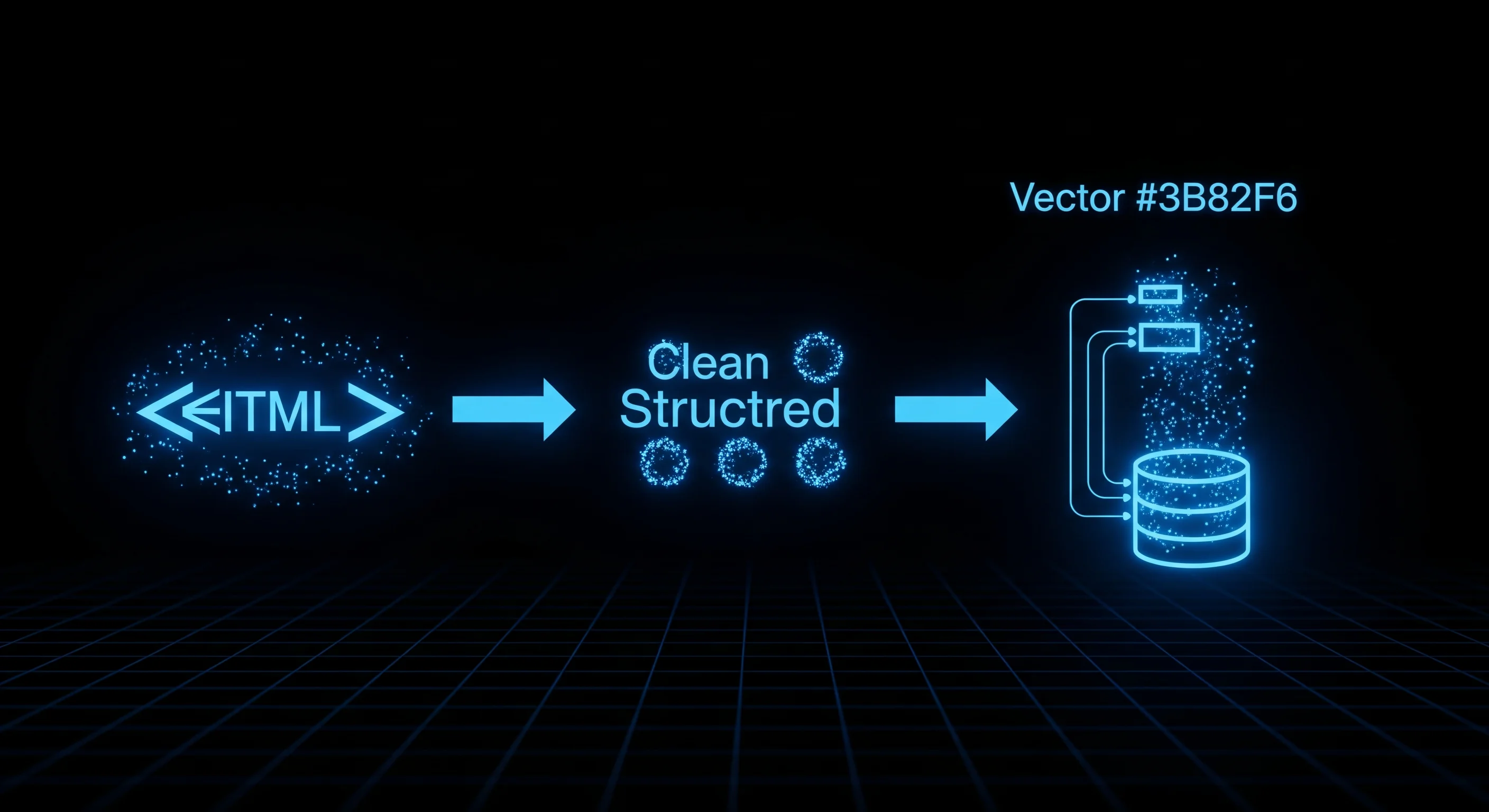
How to Build a RAG Pipeline Using Web-Scraped Content
A complete guide to turning any website into LLM context, from crawling and chunking to embedding, retrieval, and keeping the index fresh.
The actor referenced in this article. Pay only for results delivered.
Retrieval-augmented generation (RAG) is the standard architecture for building LLM applications that answer questions using current, domain-specific, or private data. The most common data source for enterprise RAG is internal documentation, and most of that documentation lives on websites.
Try it live: Website to Markdown Crawler, Token Chunks for RAG & LLMs. Pay per result delivered. Failed and empty results are never charged.
TL;DR: A web-scraped RAG pipeline has six steps: crawl with JS rendering, normalize to markdown stripping boilerplate, chunk by heading boundary at ~512 tokens, embed with a lightweight model, index in a vector store, and re-crawl on a schedule. Chunk strategy (heading-based) has more impact on retrieval quality than embedding model choice. Monthly pipeline cost for 1,000 pages: roughly $2.
This guide walks through the complete pipeline: crawling, chunking, embedding, indexing, retrieval, and freshness management.
Architecture Overview
Website → Crawler → HTML-to-Markdown → Chunker → Embedding Model → Vector Store → Retrieval API
                                                                                         ↓
                                                                              LLM (GPT-4, Claude, etc.)
Each step has its own failure modes. We will cover each one.
Step 1: Crawl and Extract
The first problem is getting clean text from HTML. Two things break naive crawlers:
JavaScript rendering: Most documentation and product pages are rendered client-side. requests.get(url) returns a nearly empty HTML shell. You need a headless browser.
Boilerplate noise: Navigation menus, footers, cookie banners, and sidebar widgets inflate your document. A 1,500-word article surrounded by 800 words of navigation boilerplate means 35% of your context window is noise.
from apify_client import ApifyClient

client = ApifyClient('YOUR_API_TOKEN')
run = client.actor('themineworks/rag-crawler').call(run_input={
    'startUrls': [{'url': 'https://docs.yourproduct.com'}],
    'maxPages': 500,
    'renderJs': True,
    'outputFormat': 'chunks',
    'maxTokensPerChunk': 512,
    'excludeUrlPatterns': ['/changelog/', '/api-reference/raw/'],  # regex
})

pages = [
    p for p in client.dataset(run['defaultDatasetId']).iterate_items()
    if p.get('status') == 'success'  # skip failed pages and the summary row
]
print(f"Crawled {len(pages)} pages")
Each successful page is one record with url, title, token_count, crawled_at and a chunks array. Boilerplate is stripped before conversion (Mozilla Readability, then Turndown to markdown), so what is left is the article body. The crawler follows same-domain links from the start URL until it hits maxPages. Pages that fail to load or render come back as status: failed rows and are not charged. As a rough guide, a 100-page documentation site produces 400 to 800 chunks, depending on page length and how many headings it uses.
Step 2: Chunking Strategy
How you split documents has more impact on retrieval quality than which vector database or embedding model you use.
Fixed token chunking (baseline): Split every document into 512-token windows with 10% overlap. Fast to implement, mediocre retrieval quality because chunk boundaries cut across logical units.
Semantic chunking (recommended): Split on heading boundaries. Each chunk is one section of documentation, a natural semantic unit.
With outputFormat: 'chunks', RAG Crawler has already done this split. Each chunk carries heading_path (for example ['Getting Started', 'Installation']), text and token_count, and a section that runs over the token limit is split by paragraph with its heading repeated. Flatten the pages into one list for the next steps:
chunks = []
for page in pages:
    for ch in page['chunks']:
        chunks.append({
            'url': page['url'],
            'title': page.get('title', ''),
            'heading': ' > '.join(ch['heading_path']),
            'content': ch['text'],
            'crawledAt': page['crawled_at'],
        })
If your markdown comes from somewhere else, or you want full control over the split, this is the same logic by hand:
import re

def chunk_by_heading(markdown: str, max_tokens: int = 512) -> list[dict]:
    sections = re.split(r'\n(?=#{1,3} )', markdown)
    chunks = []

    for section in sections:
        lines = section.strip().split('\n')
        heading = lines[0] if lines[0].startswith('#') else ''
        body = '\n'.join(lines[1:] if heading else lines)

        # Rough token estimate (1 token ≈ 4 chars)
        if len(body) / 4 <= max_tokens:
            chunks.append({'heading': heading, 'content': body})
        else:
            # Split long sections by paragraph
            paragraphs = body.split('\n\n')
            current = []
            current_len = 0
            for p in paragraphs:
                p_len = len(p) / 4
                if current_len + p_len > max_tokens and current:
                    chunks.append({'heading': heading, 'content': '\n\n'.join(current)})
                    current = [p]
                    current_len = p_len
                else:
                    current.append(p)
                    current_len += p_len
            if current:
                chunks.append({'heading': heading, 'content': '\n\n'.join(current)})

    return chunks
Metadata preservation: Every chunk should carry url, title, heading, and crawledAt. This metadata is critical for citation generation and freshness filtering.
Step 3: Embedding
For most RAG use cases, text-embedding-3-small (OpenAI) or embed-english-v3.0 (Cohere) provides the right balance of quality and cost.
from openai import OpenAI
import numpy as np

client = OpenAI()

def embed_chunks(chunks: list[dict]) -> list[dict]:
    texts = [f"{c['heading']}\n{c['content']}" for c in chunks]

    response = client.embeddings.create(
        model='text-embedding-3-small',
        input=texts,
    )

    for chunk, embedding_obj in zip(chunks, response.data):
        chunk['embedding'] = embedding_obj.embedding

    return chunks
Batch your embedding calls: OpenAI allows up to 2,048 inputs per request. For 10,000 chunks at 512 tokens average, embedding costs approximately $0.02 with text-embedding-3-small.
Step 4: Vector Store
For most teams starting out, Pinecone or Chroma work well. For production with strict latency requirements, pgvector (Postgres extension) is often the right choice because it collocates with your existing data.
import hashlib
import chromadb

def chunk_id(c: dict) -> str:
    # Same URL and same text always give the same id, so re-runs can skip work
    return hashlib.sha256(f"{c['url']}\n{c['content']}".encode()).hexdigest()[:32]

chroma = chromadb.PersistentClient(path='./chroma_db')
collection = chroma.get_or_create_collection('docs', metadata={'hnsw:space': 'cosine'})

def store(collection, embedded_chunks: list[dict]):
    unique = {chunk_id(c): c for c in embedded_chunks}  # drop repeated boilerplate chunks
    collection.add(
        ids=list(unique),
        embeddings=[c['embedding'] for c in unique.values()],
        documents=[c['content'] for c in unique.values()],
        metadatas=[{
            'url': c['url'],
            'title': c.get('title', ''),
            'heading': c.get('heading', ''),
            'crawledAt': c.get('crawledAt', ''),
        } for c in unique.values()],
    )

store(collection, embed_chunks(chunks))
Content-derived ids are what make incremental refreshes cheap later (Step 6). The cosine space setting means a result’s distance converts straight to a similarity score (1 - distance), which the retrieval step uses.
Step 5: Retrieval and Generation
import anthropic

claude = anthropic.Anthropic()

def answer_question(question: str, collection, openai_client,
                    min_similarity: float = 0.3) -> tuple[str, list[str]]:
    # Embed the question
    q_embedding = openai_client.embeddings.create(
        model='text-embedding-3-small',
        input=[question],
    ).data[0].embedding

    # Retrieve the top 5 chunks with their distances
    results = collection.query(
        query_embeddings=[q_embedding],
        n_results=5,
        include=['documents', 'metadatas', 'distances'],
    )

    # Convert cosine distance to similarity and drop weak matches
    hits = [
        (doc, meta)
        for doc, meta, dist in zip(results['documents'][0],
                                   results['metadatas'][0],
                                   results['distances'][0])
        if 1 - dist >= min_similarity
    ]
    if not hits:
        return "I couldn't find this in the indexed pages.", []

    context = '\n\n---\n\n'.join(f"Source: {m['url']}\n{d}" for d, m in hits)
    sources = sorted({m['url'] for _, m in hits})

    # Generate answer with Claude
    response = claude.messages.create(
        model='claude-sonnet-4-6',
        max_tokens=1024,
        system=(
            'Answer only from the provided context. '
            'Cite the source URL for each claim. '
            'If the context does not contain the answer, say so.'
        ),
        messages=[{
            'role': 'user',
            'content': f"Context:\n{context}\n\nQuestion: {question}",
        }],
    )

    return response.content[0].text, sources
The similarity cut-off does two jobs. It stops loosely related chunks from diluting the context, and when nothing clears the bar it returns a plain “not found” without paying for an LLM call that would only guess. Tune the number on real queries rather than copying one. With text-embedding-3-small, genuinely relevant chunks often score well below 0.7, so start low and raise it until off-topic results drop out. If more chunks pass than your context budget allows, keep the highest-scoring few. For questions that should have one definitive answer, add a reranking pass (a cross-encoder, or Claude scoring each chunk against the question) before the final selection.
Step 6: Keeping the Index Fresh
This is the part most tutorials skip. Documentation sites update continuously. A stale index returns outdated answers.
Crawl scheduling: Re-crawl the most frequently updated sections daily or weekly, with an Apify schedule on the actor or a cron job of your own. Only re-embed chunks whose content has changed since the last crawl.
Staleness metadata: Store crawledAt with each chunk. When a query returns chunks older than your staleness threshold, add a disclaimer or trigger a background re-crawl.
Incremental update pattern: because chunk ids come from the URL and the text, an unchanged chunk has the same id on every crawl. A refresh only has to delete ids that disappeared and embed ids that are new.
def refresh(collection, new_chunks: list[dict]):
    new_ids = {chunk_id(c): c for c in new_chunks}

    # Remove chunks that no longer exist on pages we just re-crawled
    for url in {c['url'] for c in new_chunks}:
        stored = collection.get(where={'url': url})
        stale = [i for i in stored['ids'] if i not in new_ids]
        if stale:
            collection.delete(ids=stale)

    # Embed and add only the chunks we have not seen before
    existing = set(collection.get(ids=list(new_ids))['ids'])
    to_add = [c for i, c in new_ids.items() if i not in existing]
    if to_add:
        store(collection, embed_chunks(to_add))
Pages removed from the site will not appear in the new crawl at all, so also compare the stored URLs against the crawled ones and delete the difference. On a typical documentation site a weekly refresh touches a small share of pages, so this costs a fraction of a full re-index.
What Teams Build With This
The pipeline is the same every time. Only the start URLs and the system prompt change.
A support chatbot over your own docs is the standard case. Crawl the docs nightly, refresh the index, and let the bot answer with links to the pages it used. First-line questions get deflected, and support agents get suggested answers for the harder ones.
A competitor docs bot lets a sales team ask “does Competitor X support webhooks for data export?” during a call and get a sourced answer, instead of digging through someone else’s documentation. A weekly crawl of three to five competitor sites also lets you ask what changed on a pricing or feature page since last week.
Legal and compliance teams index regulator sites, where guidance, rule updates and enforcement notices are published as HTML, and ask questions like “does any guidance from the last 90 days mention AI model disclosures?”
Research teams crawl preprint servers, journal pages and conference sites into a private literature assistant for synthesis questions across a curated set of papers.
Internal IT teams replace keyword search over wikis. Confluence and Notion exports often come out with inconsistent formatting, and crawling the rendered web version usually gives cleaner markdown.
Limits Worth Knowing
RAG Crawler outputs prose markdown. That suits question answering and is a poor fit for pipelines that expect rows and columns. If you need prices from a product table or fields from a structured schema, use a scraper built for that data.
It is also not a search-engine-style indexer. It starts from the URLs you give it, follows links on the same domain, and stops at maxPages (up to 500 per run). For a large site, generate the URL list from the sitemap first and split it across runs.
Typical Pipeline Costs
For a 1,000-page documentation site, refreshed weekly:
| Component | Monthly Cost |
|---|---|
| Crawling (RAG Crawler) | ~$2.00 |
| Embedding (OpenAI small) | ~$0.02 |
| Vector storage (Pinecone free tier) | $0 |
| LLM inference (depends on usage) | Variable |
The crawling and embedding costs are small. The LLM inference cost scales with how many questions users ask.
Frequently Asked Questions
What is the best chunk size for RAG from web-scraped content?
512 tokens per chunk is a reliable baseline. Smaller chunks (256 tokens) improve precision for narrow factual queries. Larger chunks (1,024 tokens) work better for summarization tasks. The most important factor is alignment with logical document units: split on heading boundaries rather than arbitrary token counts, and always preserve the heading as context in each chunk for interpretable retrieval results.
Why does chunking strategy matter more than the embedding model choice?
The embedding model converts text to vectors, but if chunk boundaries cut across a logical idea, splitting a code example from its explanation, even a perfect embedding cannot reconstruct the relationship. Heading-based semantic chunking preserves document structure so retrieved chunks are self-contained. Switching from fixed-token to heading-based chunking typically improves retrieval precision more than switching embedding models.
How do you keep a RAG index fresh for a website that updates frequently?
Schedule periodic re-crawls and compare each page’s new content against the stored version. Only re-embed pages whose content has changed. Store a crawledAt timestamp with each chunk and add staleness warnings in your retrieval logic when chunks exceed your freshness threshold. Exclude high-churn pages like changelogs from your primary index or handle them in a separate collection.
What does it cost to build a RAG pipeline from a 1,000-page documentation site?
Crawling 1,000 pages monthly with a pay-per-result crawler costs roughly $2.00. Embedding with OpenAI’s text-embedding-3-small costs approximately $0.02. Vector storage on Pinecone’s free tier is $0 at this scale. The primary variable cost is LLM inference at query time, which scales with the number of questions your users ask.
Why use a RAG-specific crawler instead of a generic web scraper?
A generic scraper hands back raw HTML, so you still have to render JavaScript, strip boilerplate, convert to markdown, split into chunks and count tokens. A crawler that returns heading-based chunks with token counts cuts the pipeline down to crawl, embed and store, and keeps headings attached to their content instead of cutting mid-section.
Should I use Pinecone, Chroma, or pgvector for a RAG pipeline?
For prototyping, Chroma (local, in-process) is fastest to set up with no infrastructure. For production with strict latency requirements, pgvector running alongside your existing Postgres database eliminates a network hop and simplifies your stack. Pinecone is a managed vector service suitable for teams wanting to avoid self-hosting. At small scales (under 100,000 chunks), the performance difference between all three is negligible.
Explore the scraper referenced in this article: inputs, outputs, and pricing, then run it on Apify.
The Agentic Data Stack 2025: How to Pick the Right Scrapers for Your AI Workflow
A practical guide to building grounded AI agents on live scraped data, and which data sources matter for which kind of agent.
Web Scraping for AI Training Data: Legal, Technical, and Quality Considerations
A guide to collecting web-scraped AI training data: what is legally permissible and which technical approaches produce quality data.
The Best Apify Actors for AI and LLM Projects in 2025
A curated list of Apify actors that ship data in formats LLMs can directly use, ranked by reliability, output quality, and billing fairness.
Firecrawl vs RAG Crawler: Pricing, Output Quality, and When to Use Each
Firecrawl charges per page on a subscription. RAG Crawler charges per page crawled on pay-per-result. Here is a direct comparison of output, pricing, and failure handling.